May 25, 2026
How to Use Google Ads to Improve Your ABM Strategy (And Stop Missing High-Intent Buyers)
Share:



If you're running ABM campaigns, there's a good chance you're missing buyers who are already searching for solutions on Google. More than 70% of B2B buyers start their journey with a search engine, long before they respond to an email or LinkedIn outreach. That means while your team is focused on outbound tactics, your ideal accounts may already be comparing vendors online.
Google Ads helps you capture that existing demand by putting your brand in front of decision-makers at the exact moment they're ready to act. Combining Google Ads with ABM creates a smarter growth strategy. You're not just targeting accounts anymore; you're reaching high-intent buyers when purchase decisions are actively being made.
This article breaks down how to actually do that, including the tools, structure, messaging, and the metrics that matter.
Key Takeaways
- Google Ads strengthens ABM by capturing high-intent buyers at the exact moment they search for solutions.
- Customer Match and Custom Segments help you reach known decision-makers and uncover hidden stakeholders in target accounts.
- Intent-driven keywords allow you to engage buyers who are actively comparing vendors and are close to making decisions.
- Campaigns should be structured by account tier, buying persona, and funnel stage for better relevance and performance.
- Remarketing keeps your brand visible and helps move target accounts forward with tailored, next-step messaging.
- ABM success with Google Ads should be measured by account engagement, pipeline influence, and deal velocity, not just clicks or leads.
The three Google Ads features that make ABM targeting real
What actually separates teams that see results from teams that don't is execution at the technical level. Here are the three tools inside Google Ads that make account-based targeting measurable and repeatable.
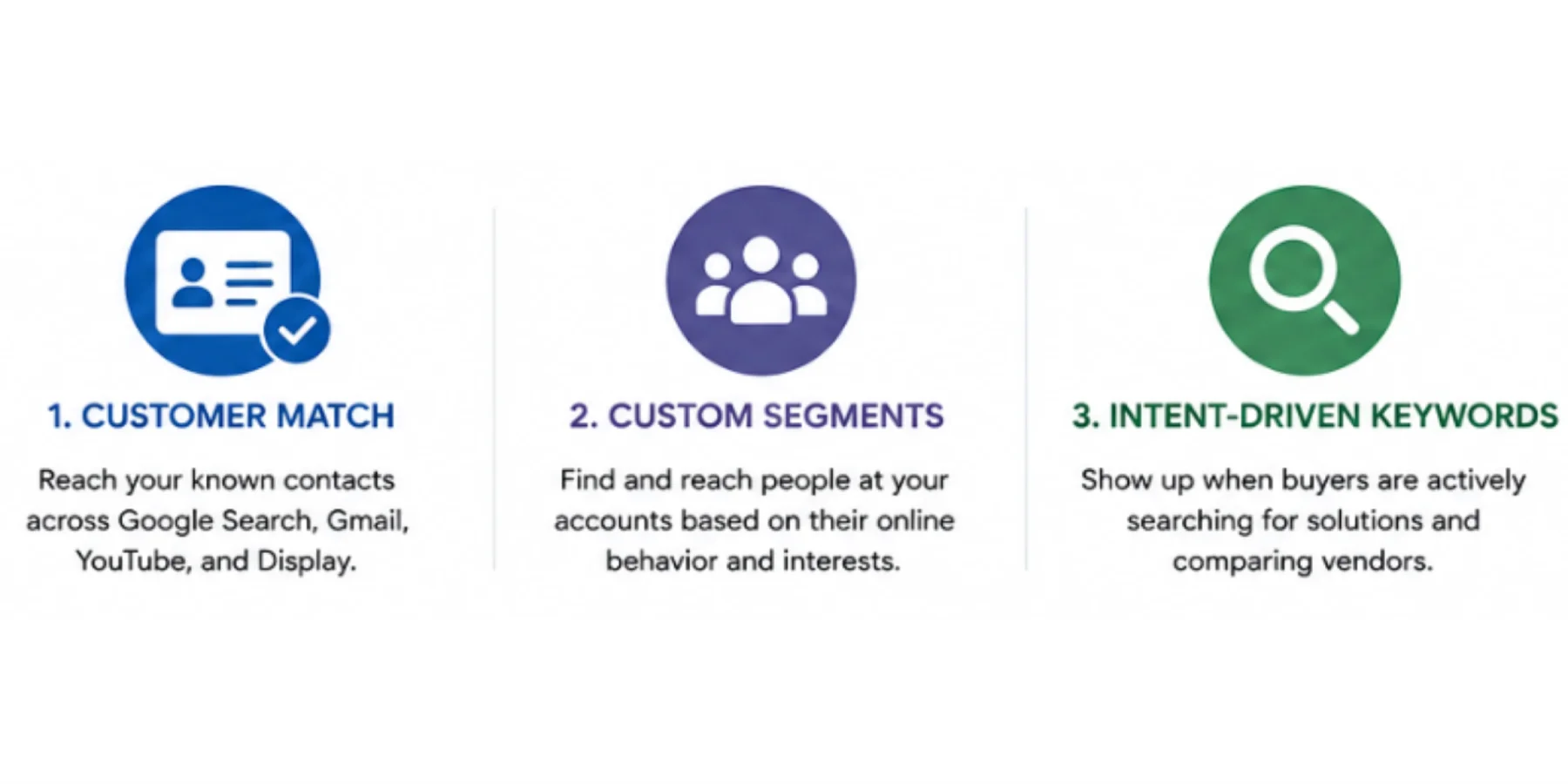
1. Customer match: Reach your named accounts by name
Customer Match is the closest thing Google Ads has to direct ABM targeting. You upload a list of email addresses of your buying committee contacts, CRM records, key decision-makers, and Google matches them across Search, Gmail, YouTube, and Display. When those people are active on any Google-owned platform, your ads appear.
For example:
A B2B cybersecurity company targeting a global financial services firm might upload contacts for the CISO, the IT Director, and the Head of Risk and Compliance. The CISO sees ads for threat detection and incident response. The Head of Risk sees ads on regulatory compliance and audit readiness. Over time, repeated exposure builds familiarity and trust, so when internal discussions happen, the brand already feels credible and relevant.
To get the most from this, organise your contacts by account tier. Your top 50 strategic accounts need tighter control and more tailored messaging than a broader mid-tier list. When your lists reflect that structure, your ads feel relevant, and relevance is what drives action.
2. Custom segments: Reach the people your CRM doesn't know about
Here is a reality that often catches B2B teams off guard: in most enterprise deals, you only have contact details for a fraction of the people actually involved in the buying decision. Procurement managers, finance analysts, and department heads are many of them completely outside your database. And they're influencing the outcome.
Custom Segments solves this by letting you target based on behaviour, not identity. Instead of needing someone's email address, you build audiences around what they're actively doing online: what they're searching for, which websites they're visiting, and which tools they're interacting with.
For ABM, this is powerful because it allows you to mirror real buying intent signals. You can create segments around:
- Searches for competitor brand names
- Category queries like "ERP implementation partner" or "B2B marketing automation platform."
- Visits to competitor pricing or comparison pages
- Engagement with industry tools your buyers typically use, like Salesforce or HubSpot
So if a procurement manager at one of your target accounts is repeatedly visiting a competitor's pricing page, they're clearly in evaluation mode even if you've never had their email. Custom Segments let you step into that moment.
In ABM terms, this is where deal influence often happens, not just with your known contacts, but with the broader committee who are quietly doing their own research.
3. Intent-Driven Keywords: Show up when B2B buyers are deciding
Not all keywords are created equal. Early-stage, informational queries, such as "what is CRM software" or "benefits of supply chain management", attract people who are learning.
They are months away from a purchasing decision, and paying to be in front of them with product messaging is expensive and largely wasted.
Intent-driven keywords are different. These are the searches people make when they've already identified a problem and are actively comparing solutions:
- "[Competitor] alternative"
- "Enterprise [software category] pricing."
- "Best [solution type] for manufacturing companies."
- "How to choose a [product category]."
When someone types those queries, they're not casually browsing. They're in the decision phase, and the vendor who shows up clearly and credibly at that moment has a significant advantage, especially when Google Ads is structured to support account-based targeting and high-intent conversion paths..
The real ABM power move is layering intent keywords with your target account list, so Google Ads budget reinforces active deals as part of a broader account-based marketing strategy. Now you're not just catching anyone with commercial intent, you're catching people inside the accounts your sales team is already working. That means your Google Ads budget is reinforcing active deals, not generating random leads that sales will never follow up on.
How to structure your Google Ads campaigns for ABM
Most teams set up Google Ads for lead generation: broad targeting, generic messaging, and optimisation for clicks. ABM needs a completely different structure, tighter, more intentional, and built around account value.
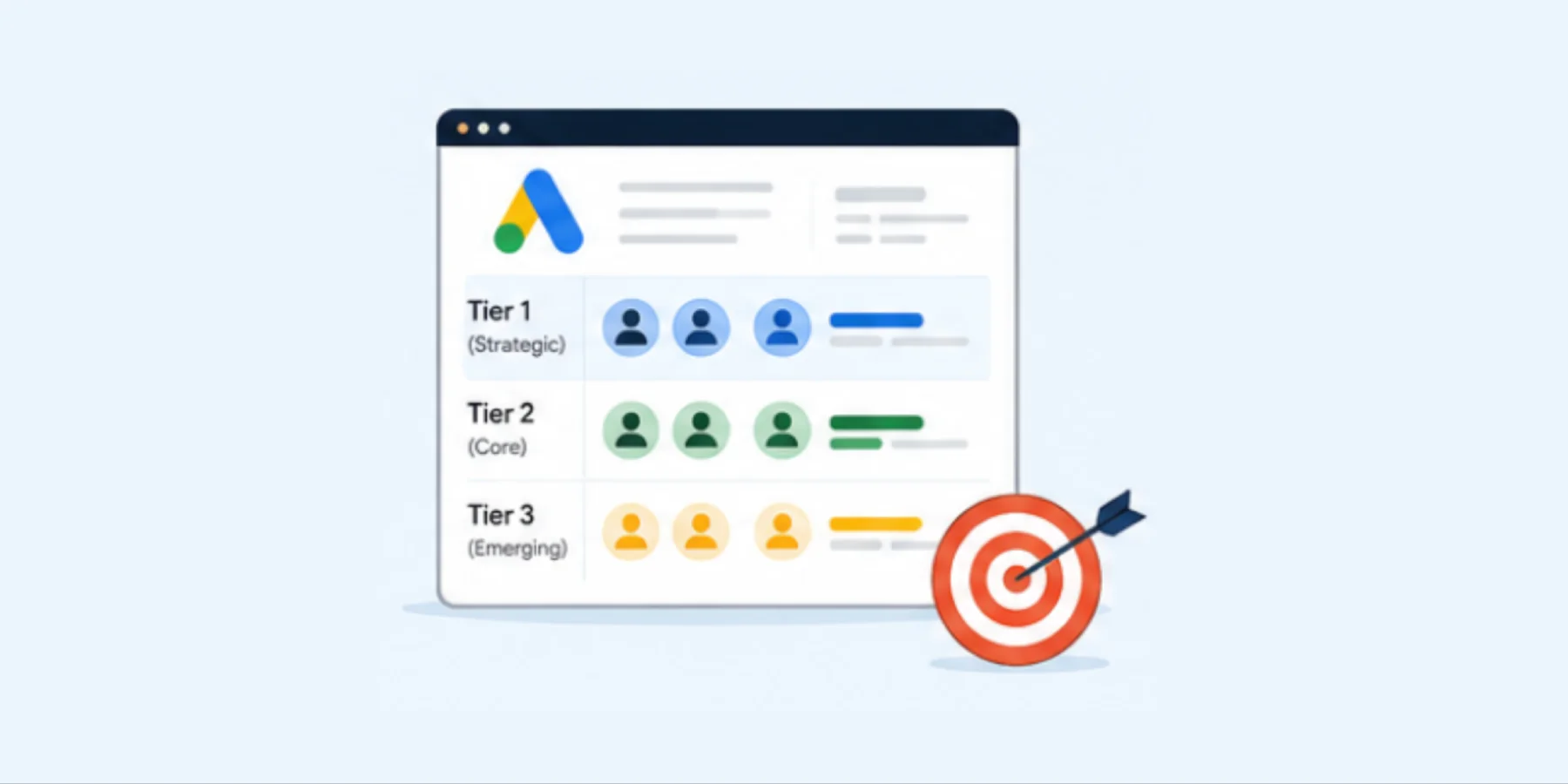
1. Separate campaigns by account tier
Your Tier 1 accounts, typically your top 25 to 50 named targets, deserve dedicated campaigns with dedicated budgets, tailored messaging, and close performance monitoring. These aren't audience segments; they're strategic relationships.
Tier 2 and Tier 3 accounts can be grouped more broadly, but the account-level targeting should remain tight. Don't mix tiers. If you combine high-value and low-priority accounts in the same campaign, you lose clarity, and your optimisation decisions become unreliable.
2. Structure Ad Assets groups by buying persona
Within each campaign, separate your ad groups by the audience you're targeting. A CFO cares about ROI, payback period, and financial risk. A CTO cares about security, integration complexity, and implementation timelines. A Head of Operations cares about productivity and day-to-day impact. Each persona should have their own ad group, ad copy, and landing page.
If creating personalised content at that scale feels like a stretch, here's how to use AI to make it manageable.
3. Match messaging to the funnel stage
Not every account in your target list is at the same point in the journey. Some are just discovering the problem space. Others are deep in vendor evaluation. Your messaging needs to reflect that. Educational content research reports, benchmark studies, and industry guides work well for accounts in the early awareness stage.
Product-focused messaging that highlights differentiation is more effective for accounts under consideration. Direct offers like demos, consultations, or ROI calculators are most appropriate when accounts are close to making a decision.
4. Use negative audience lists
Always exclude existing customers, closed-lost accounts, and accounts your sales team has already disqualified. Without this, you're spending your budget on people who will never convert and distort your performance data.
Remarketing: The highest-value opportunity most ABM teams ignore
If someone from a target account visits your pricing page, what usually happens next? In many companies, nothing. They browse once, disappear, and marketing shifts focus to the next batch of traffic. The sales team may never even know that the visit happened.
That's a missed opportunity and one that's already paid for itself in attention and ad spend.
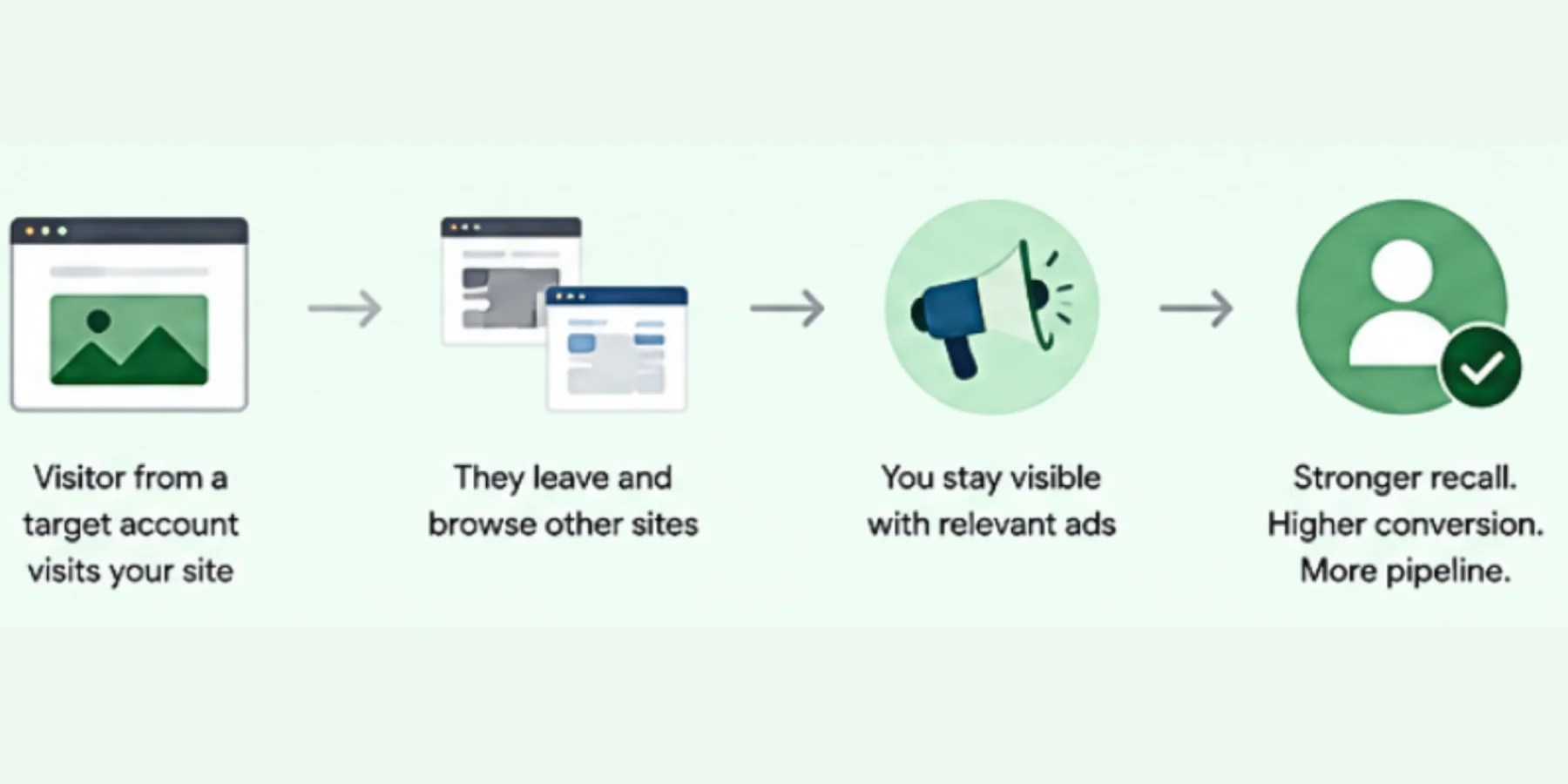
Remarketing lets you stay in front of these accounts as they move across the web, industry blogs, news sites, YouTube, and Gmail, keeping your brand visible to people who've already shown genuine interest.
But in ABM, effective remarketing isn't about showing the same ad again. It's about advancing the conversation based on what they already did.
- If someone from a target account visited your pricing page, serve them a case study from their industry.
- If they read a blog post about a specific challenge, show them a product comparison that addresses it.
- If they started filling out a demo form but didn't complete it, show them a testimonial from a company similar to theirs.
Use Remarketing Lists for Search Ads (RLSA) to take this further by adjusting how you bid in live auctions. When someone from your target account list has already visited your site and then searches for a relevant keyword, you can bid significantly more aggressively for that placement. Someone who already knows your brand and is actively searching again is far more likely to convert than a cold prospect.
How to connect Google Ads to your full-funnel ABM system
Google Ads performs best when it's not operating in isolation. The strongest ABM programs use it as one part of a connected system where LinkedIn, Google Ads, and email all reinforce each other across the buying journey.
Here's how that looks in practice:
- LinkedIn warms the account. It's where you build initial awareness and familiarity. People aren't actively searching for solutions, yet they're scrolling, reading, and engaging with professional content.
At this stage, your job is to be present and relevant: thought leadership content, sponsored posts tailored to specific job titles, and outreach from account executives. You're planting the idea that your brand understands their world. For a deeper look at how LinkedIn fits into an ABM strategy, see our guide on LinkedIn and Account-Based Marketing. - Meta Ads reinforces and retargets website visitors. Once someone from a target account visits your site, Meta Ads helps you re-engage them across platforms like Instagram and Facebook. This allows you to stay visible after the first interaction and reinforce your message in a more relaxed, social environment. By building custom audiences based on site behavior, you can serve more relevant ads depending on what pages they viewed or actions they took, which helps move them further down the funnel
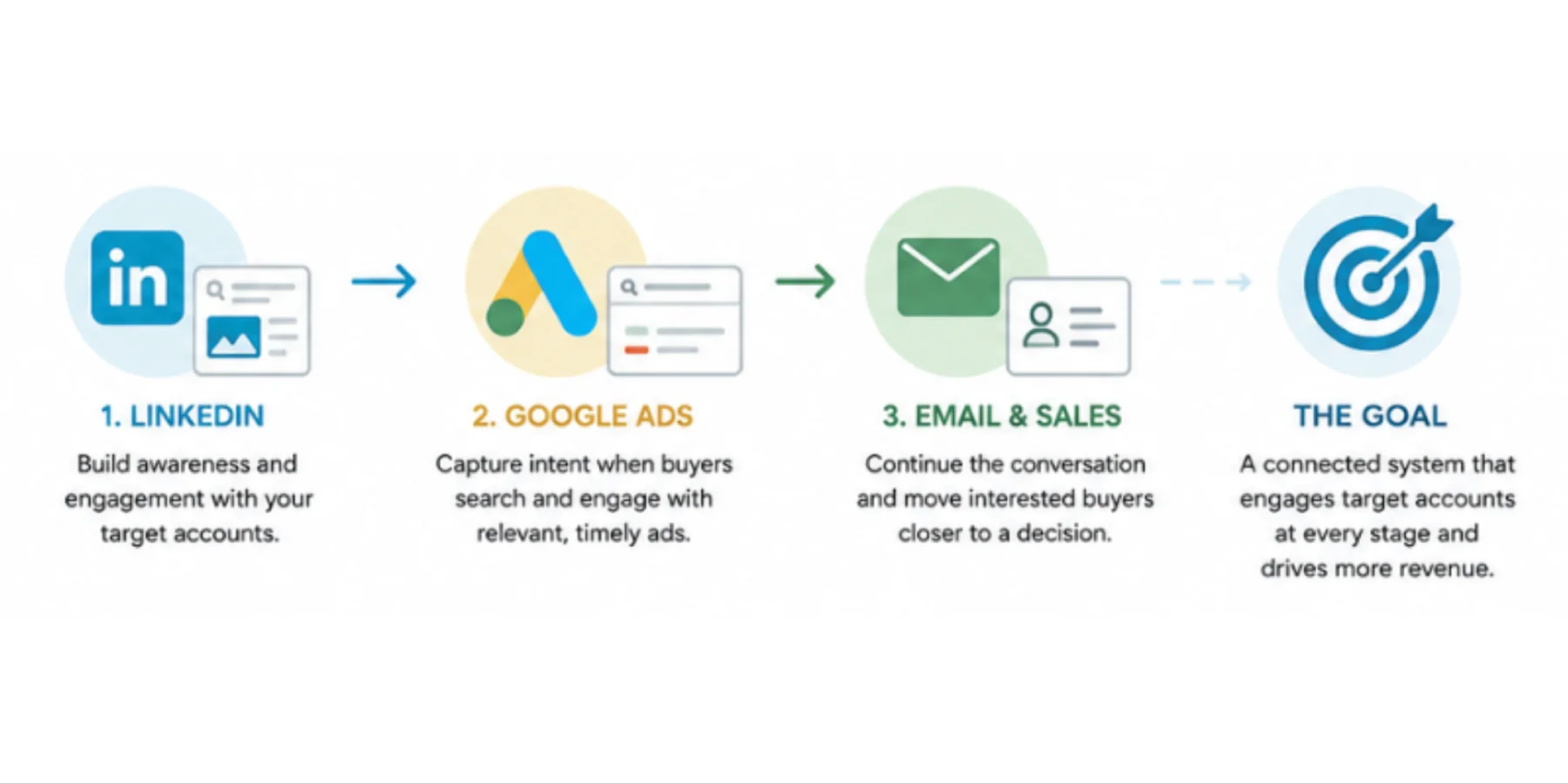
- Google Ads captures intent when it emerges. After a contact from a target account has seen your brand on LinkedIn a few times, they may later search Google when they're ready to explore solutions. Your ad should closely match the search intent, reinforce what they saw on LinkedIn, and take them directly to content relevant to where they are in the journey, not to your generic homepage.
- Email and sales outreach continue the conversation. When someone from a target account engages with your ads, visits a key page, clicks a remarketing ad, converts on a content offer, that signal should flow into your CRM, notify the account executive, and trigger an appropriate follow-up. A well-timed, contextually relevant email from a salesperson lands very differently than a cold sequence.
This is how ABM becomes a system, rather than a series of disconnected activities.
Case study — Telbix: Telbix, an Australian B2B lighting company, worked with KLIQ Interactive to focus Google Ads only on the right business decision-makers based on job titles, industries, and locations. Combined with Meta, LinkedIn, SEO, and email marketing, the integrated strategy delivered strong results: qualified leads increased by 160%, quote requests grew by 66.67%, and cost per lead dropped by 43%.
The main lesson is that Google Ads works much better when it is part of a complete account-based marketing strategy.
What are the key metrics to measure when running Google Ads for ABM
Standard Google Ads metrics, cost per click, click-through rate, and cost per lead are almost meaningless in an ABM context. You're not trying to generate the maximum number of form fills from anonymous traffic. You're trying to accelerate the pipeline from a defined list of target accounts.
The metrics that actually matter are different, as per this list of Metrics and What they mean:
Account reach and frequency
What percentage of your named account list has seen your ads this month? How often? If accounts aren't reaching a threshold of 3 to 5 impressions per week, your budget or targeting needs adjustment.
Account engagement rate
Of the accounts you've reached, how many visited your website, clicked through to a key page, or engaged with content? This tells you whether your messaging is landing.
Pipeline influence
What proportion of your open opportunities had at least one Google Ads touchpoint before or during the sales process? This is the number that connects your ad spend to actual revenue. It's also the number that justifies the budget conversation with leadership.
Deal velocity
Do target accounts that engage with your Google Ads move through the pipeline faster than those that don't? If prospects who clicked a remarketing ad convert to sales-qualified leads twice as fast as cold contacts, that's a measurable business contribution even if the ad didn't receive last-click attribution.
Cost per account penetrated
What does it cost to reach, engage, and influence one target account through Google Ads? Compare this against your LinkedIn spend and outbound costs. This gives you a meaningful comparison of efficiency across channels.
Why Google Ads is essential for a high-performing ABM strategy
Google Ads doesn't replace ABM. It strengthens it by capturing demand created through LinkedIn, email, and sales outreach when intent turns into search. Teams that do this well structure campaigns by account tier and persona, use Customer Match and Custom Segments to reach key decision-makers, and run remarketing that moves prospects forward instead of repeating messages. The result is faster pipeline movement, better conversions, and stronger overall ROI.
The gap between these teams and traditional lead-gen approaches is growing, but it's fixable by treating Google Ads as a core part of ABM, not an extra channel.
If you are unsure whether your Google Ads and ABM strategy are working together effectively, or feel like your campaigns are generating activity but not meaningful pipeline impact, it may help to get a second perspective.
At KLIQ Interactive, we work with B2B organisations across Australia, APAC and Europe to help connect Google Ads, paid advertising and ABM into a more measurable growth strategy. From campaign structure and audience targeting to intent signals, remarketing and attribution, our team helps businesses understand what the data is actually saying and where practical improvements can be made to drive stronger engagement, lead quality and ROI.
Feel free to get in touch with our team of Google Ads and paid advertising experts if you would like a performance audit on your current strategy and campaign approach.
FAQs
As a Google Ads agency specialising in ABM, KLIQ uses tools like Customer Match and Custom Segments to capture high intent buyers at the exact moment they search for solutions, reaching known decision makers and uncovering hidden stakeholders within target accounts who are actively researching a purchase.
KLIQ uses Customer Match to upload a list of email addresses for a client's buying committee contacts, then Google matches them across Search, Gmail, YouTube and Display. When those contacts are active on any Google owned platform, ABM ads appear, building familiarity ahead of buying discussions.
In KLIQ's ABM campaigns, Custom Segments target based on behaviour rather than identity, building audiences around competitor searches, category queries or visits to competitor pricing pages. This is valuable because most B2B buying committees include stakeholders whose contact details sit outside a client's CRM.
KLIQ prioritises intent driven keywords, searches made once a buyer has identified a problem and is actively comparing solutions, such as competitor alternative searches or enterprise pricing queries. These differ from early stage informational searches and typically deliver a stronger return on ad spend for B2B clients.
KLIQ structures Google Ads campaigns by account tier, keeping top target accounts in dedicated campaigns with tailored messaging, then organising ad groups by buying persona, since a CFO, CTO and Head of Operations each need their own ad copy and landing page. See how KLIQ scales this with AI: https://kliqinteractive.com/insights/how-to-scale-personalised-abm-content-with-ai-for-smarter-b2b-campaigns/
Remarketing keeps your brand visible to accounts that have already shown genuine interest, letting you advance the conversation based on what they did, such as serving a relevant case study to someone who viewed your pricing page rather than simply repeating the same ad.
For KLIQ's ABM clients, standard metrics like cost per click matter less. We focus instead on account reach and frequency, account engagement rate, pipeline influence, deal velocity and cost per account penetrated, since these connect Google Ads spend to actual B2B revenue rather than anonymous clicks or form fills.
In KLIQ's full funnel ABM system, LinkedIn builds early awareness with thought leadership, Meta Ads reinforce and retarget website visitors, and Google Ads captures intent once a contact begins actively searching, with email and sales outreach continuing the conversation as engagement signals appear in the CRM.
More than 70% of B2B buyers begin their journey with a search engine, often well before they respond to an email or LinkedIn outreach. KLIQ builds ABM strategies around this insight, since target accounts may already be comparing vendors online while an outbound only program misses that early activity.